

To get started with Tutor.com
On a school computer:
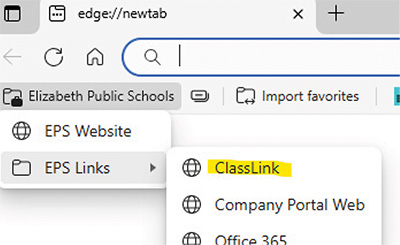
Click Elizabeth Public Schools, choose EPS Links, and then click ClassLink. From there, you can select Tutor.com.
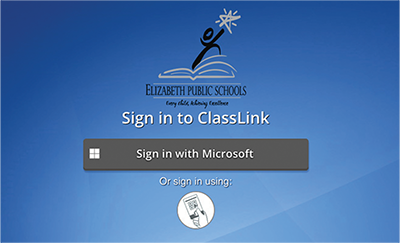
On a home computer:
Video: Learn how to get started with homework and job-search help


Program Overview
Through Tutor.com, every Elizabeth student grades 9-12 has access to no-cost, personalized tutoring and drop-off review services, test prep and self-paced resources, and more. From any device, use the Connect Now link at the top of the page, or sign in with ClassLink to connect with a live tutor and access all available resources.
ACADEMIC TUTORING

Expert, personalized tutoring available on demand

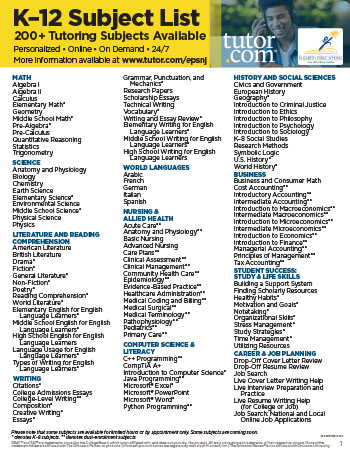
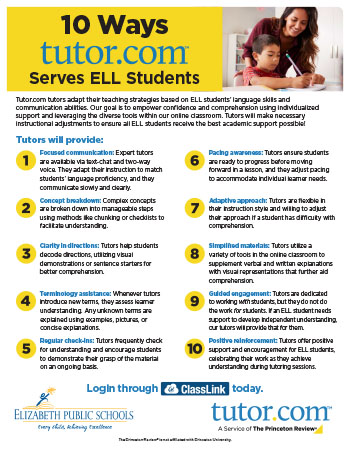
Over 200 academic subjects, many available in Spanish

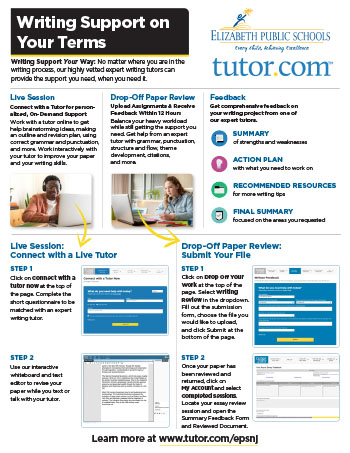
Drop-off writing review service for essays and assignments
TEST PREPARATION

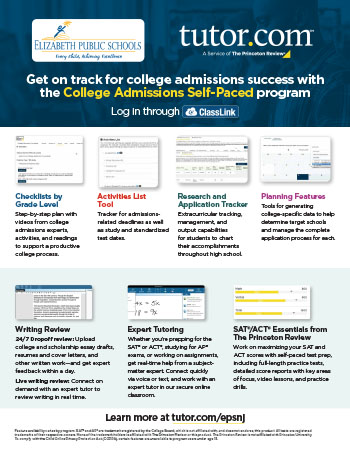
Live tutoring help for SAT, ACT, and many AP subjects

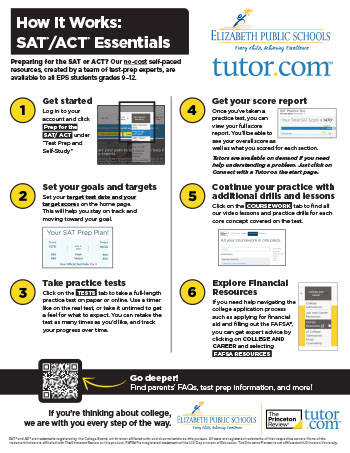
SAT and ACT self-paced courses and practice tests

College, career, and FAFSA® planning tools
Students and Parents
Find out how the Tutor.com program can help Elizabeth students succeed in school. Sign in with ClassLink to get started with Tutor.com.
FAQ
How does Tutor.com work?
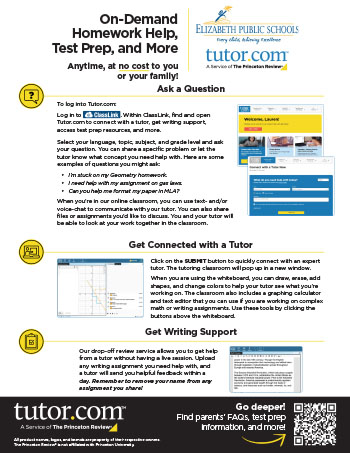
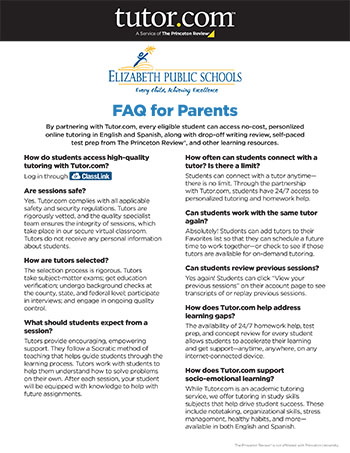
Through EPS’ partnership with Tutor.com, students in grades 9-12 can access a range of valuable educational resources at no cost. These resources include on-demand online tutoring in both English and Spanish, drop-off writing review services, self-paced test preparation, and more. Students can connect to Tutor.com through their ClassLink.
Where does tutoring take place?
Tutoring sessions take place in the easy-to-use Tutor.com online classroom, which runs in your web browser. You can choose to connect with a tutor via two-way text-chat or voice—whichever is more comfortable for you.
What is available in the online classroom?
The virtual classroom has all the tools you need to make the most of your session: two-way whiteboard, code editor, text editor, and graph paper—plus a range of drawing tools, graphing calculator, formulas, and file sharing.
What can students get help with?
Students can get on-demand or scheduled tutoring in hundreds of subjects and test-prep areas, including math, science, social studies, world languages, and AP® subjects. All the most popular subjects are available in Spanish, too. Students can also drop off writing drafts for expert review. Within 12 hours, you’ll receive written feedback as well as comments within the document so that you can improve your writing.
Are tutors qualified in their subjects?
Tutors are highly qualified. They go through a rigorous vetting process, including education verification and multiple background checks. They also have to pass a subject matter exam and complete an interview. Plus, Tutor.com has a quality specialist team that reviews sessions to ensure tutors are always providing the highest level of support.
What should students expect from a session?
Tutors provide encouraging, empowering support. They follow a Socratic method of teaching that helps guide students through the learning process. Your tutor will work with you to help you understand how to solve problems on your own. Learners regularly report that their tutors are patient, supportive, helpful, and kind. After your session, you’ll be equipped with knowledge to help you with future assignments. And if you ever need help in the future, you can always connect with us.
Can students work with the same tutor again?
Absolutely! You can add tutors to your Favorites list so that you can schedule a future time to work together—or check to see if they’re available for on-demand tutoring.
Can students review previous sessions?
Yes again! Just click “View your previous sessions” on your account page to see transcripts of your previous sessions. You can also replay past sessions.
Are sessions safe?
Yes. Tutor.com complies with all applicable safety and security regulations. Tutors are rigorously vetted, and the quality specialist team ensures the integrity of sessions. Your tutor does not receive any personal information about you, and your sessions are anonymous and secure.
How do students contact Tech Support?
Please reach out to Tutor.com via the Contact page, or call 800-411-1970. Team members are available Monday–Friday from 8 a.m.–midnight, and Saturday–Sunday from 8 a.m.–10 p.m. Eastern Time.
AP® and SAT® are registered trademarks of the College Board, which is not affiliated with, and does not endorse, this product. All tests are registered trademarks of their respective owners. None of the trademark holders is affiliated with The Princeton Review or this product. The Princeton Review is not affiliated with Princeton University.


